You can only upload or delete document if you are having Building Manager/Admin or Department Manager/Admin Role. Refer to the FAQ on how to check my role
1. To update or upload a document
Note: If it is an updated document, please include the date in document name so that AiBE can identify. If not, please delete the old version before uploading new version
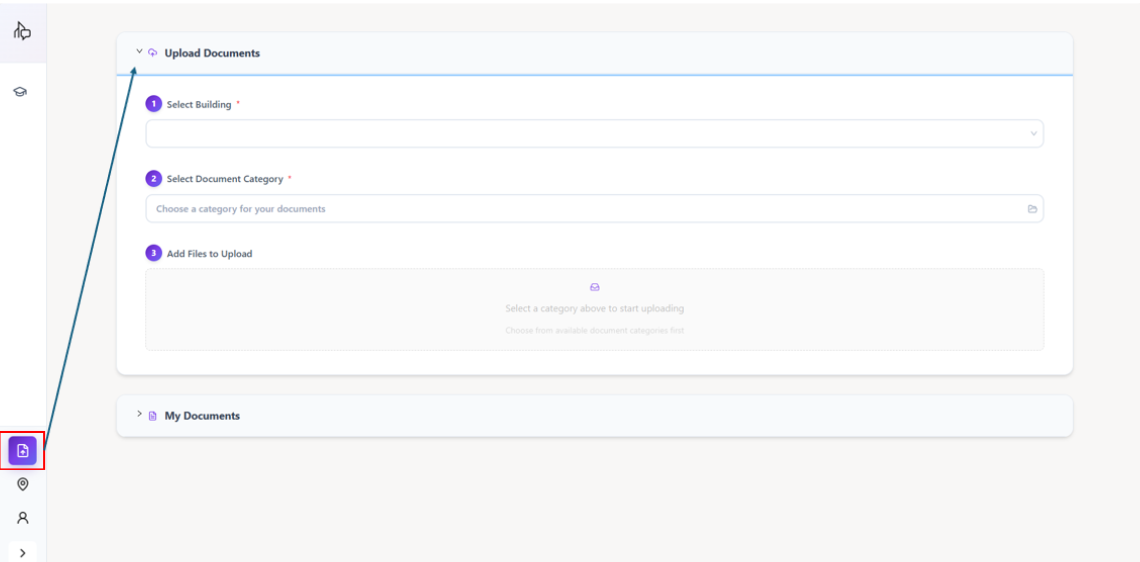
To upload, expand on upload documents tab after clicking the document icon on the left tab:
1. Select Building (depending on user, some may have more than 1 building access)
2. Select the category that best suit your document (eg HR policy should be uploaded in HR category)
3. Upload or drop the file (max file size 50MB, any file exceeding the limit please contact our customer support)
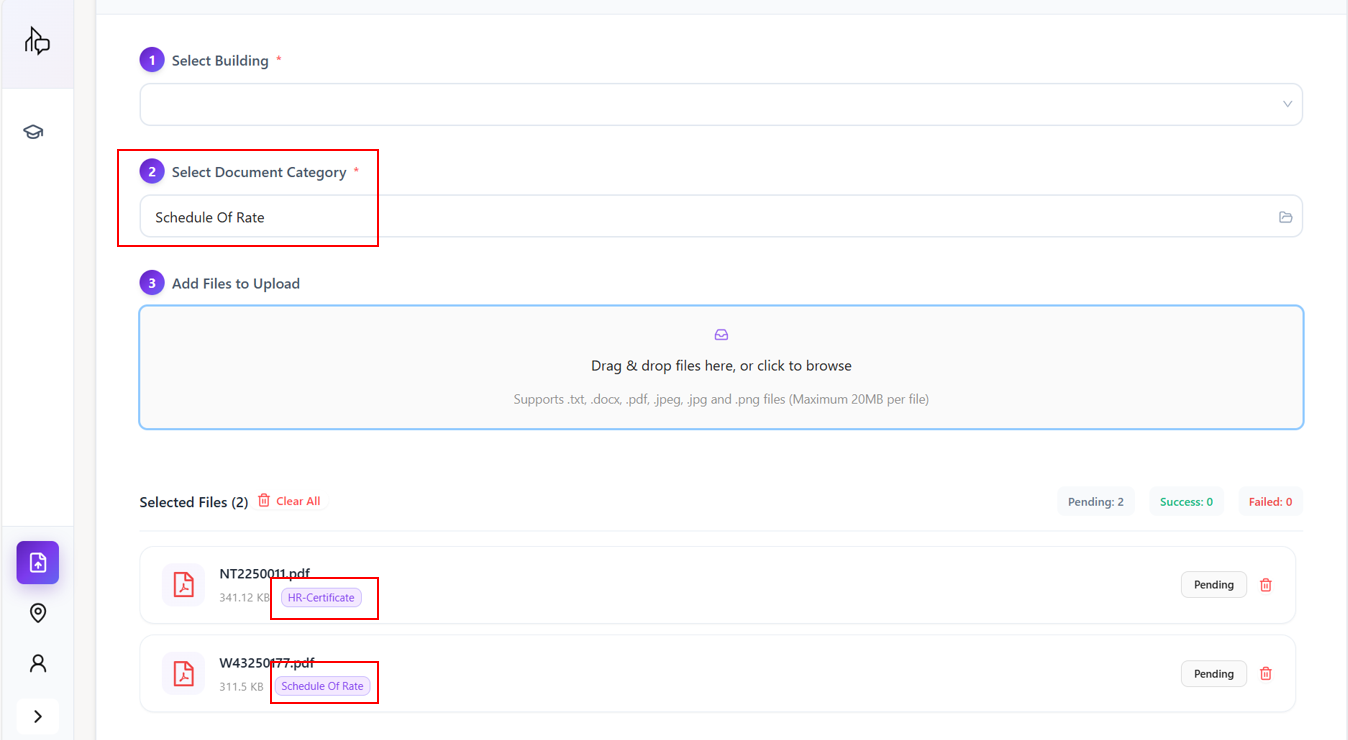
You can upload documents that belongs to different category together, just change the category before dropping the file (check the file tag under selected files to make sure it is the correct category)
AiBE currently only support word doc, JPEG, PDF and Excel, for other file types please reach out to our support team to check
2. To check document status
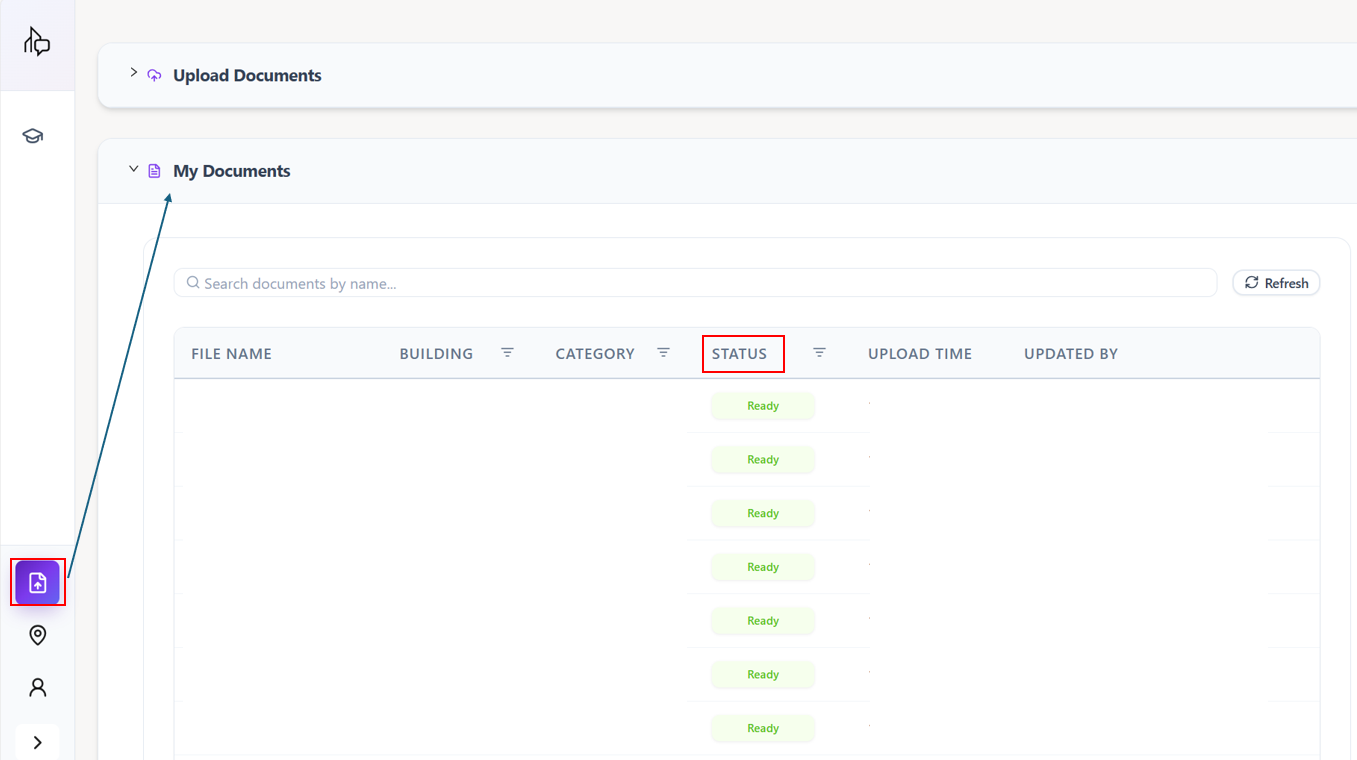
To check whether the document is successfully uploaded, expand on my documents tab after clicking the document icon on the left tab:
1. Search for the document
2. Check document status (Ready, Processing or Failed)
Some large document need longer to process, do wait for 5 minutes before refreshing it and check again.
If document fail to upload, please delete and try one more time. If the document still fail the second time, do submit ticket on our ticketing platform or email to ebu-support@primustech.com.sg
3. To delete document
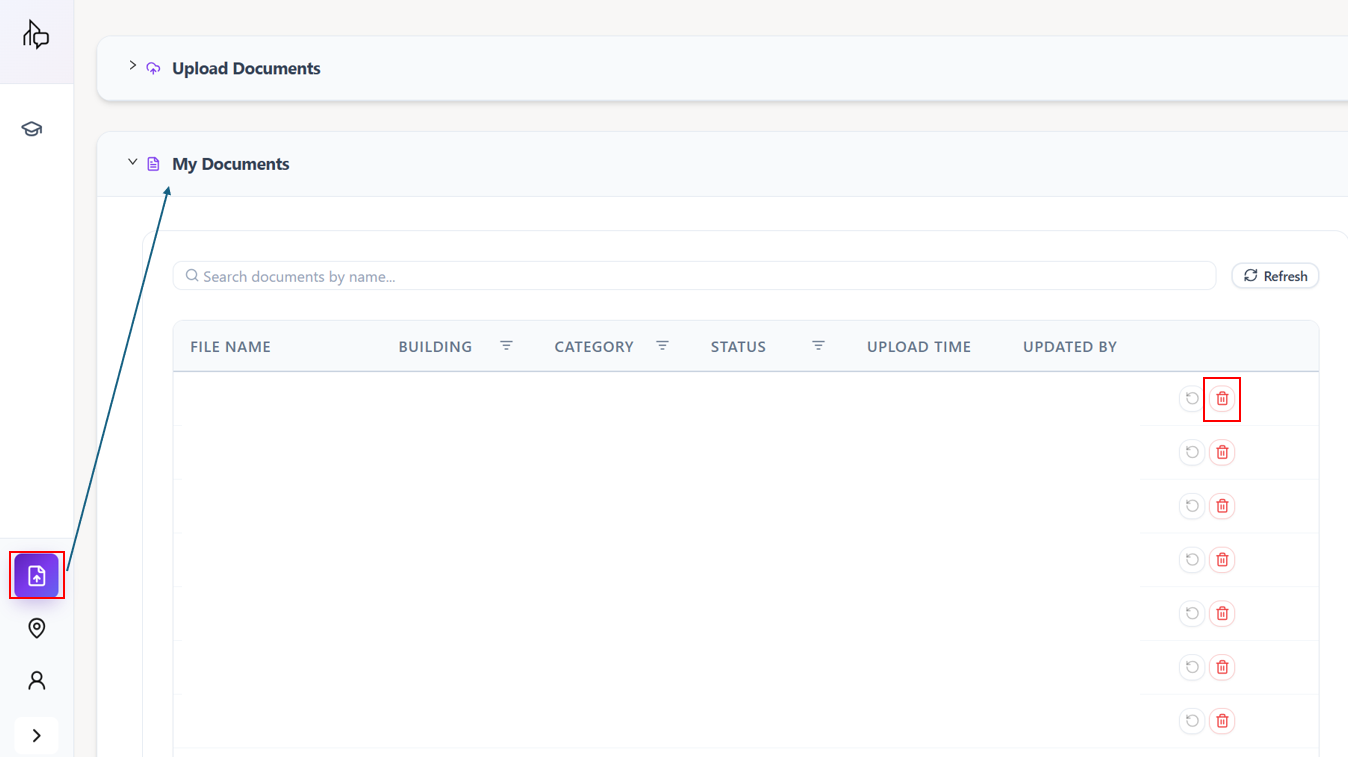
Similarly, to delete a document, expand on my documents tab after clicking the document icon on the left tab:
1. Search for the document
2. Click on the delete icon
Was this article helpful?
That’s Great!
Thank you for your feedback
Sorry! We couldn't be helpful
Thank you for your feedback
Feedback sent
We appreciate your effort and will try to fix the article